Case study · Front-end performance

A SaaS landing page, 67 → 99 on mobile Lighthouse

I took an open-source SaaS landing template, measured it exactly as it ships, then fixed what was slowing it down, without changing how it looks. Every number on this page was measured the same way on both versions.

Mobile Performance score 67→99 median of 3 runs each
Largest Contentful Paint, mobile 6.7 s→1.7 s Google's "good" threshold is 2.5 s
Page weight on first load 1415 KB→159 KB 89% less to download, 32 → 9 requests
Lighthouse scores

All four categories in the green

Mobile uses Lighthouse's default throttling (slow 4G, 4× slower CPU), which is where most landing pages lose their visitors. Desktop was already fine; mobile was not.

Mobile

0–49 50–89 90–100
Performancewas 67
Accessibilityunchanged, was 100
Best practicesunchanged, was 100
SEOwas 82

Desktop

Performancewas 97
Accessibilityunchanged, was 100
Best practiceswas 96
SEOwas 82
Mobile metricOriginalOptimizedChange
First Contentful Paint4.2 s1.6 s−62%
Largest Contentful Paint6.7 s1.7 s−74%
Speed Index4.2 s1.6 s−62%
Total Blocking Time0 ms28 ms+28 ms
Cumulative Layout Shift0.0050.000—
Transferred on load1415 KB159 KB−89%
Requests329−72%

Where the bytes go on first load

Original
1415 KB
Optimized
159 KB
Images 1066 → 35 KBFonts 214 → 39 KBJavaScript 45 → 3 KBCSS 32 → 0 KBHTML 53 → 80 KBOther 5 → 1 KB
Same design

It looks the same. It just stopped making people wait.

The layout, colors, type and imagery are the template's. The copy was rewritten for a fictional product ("Dashdark") because the original was lorem ipsum.

Drag to compare
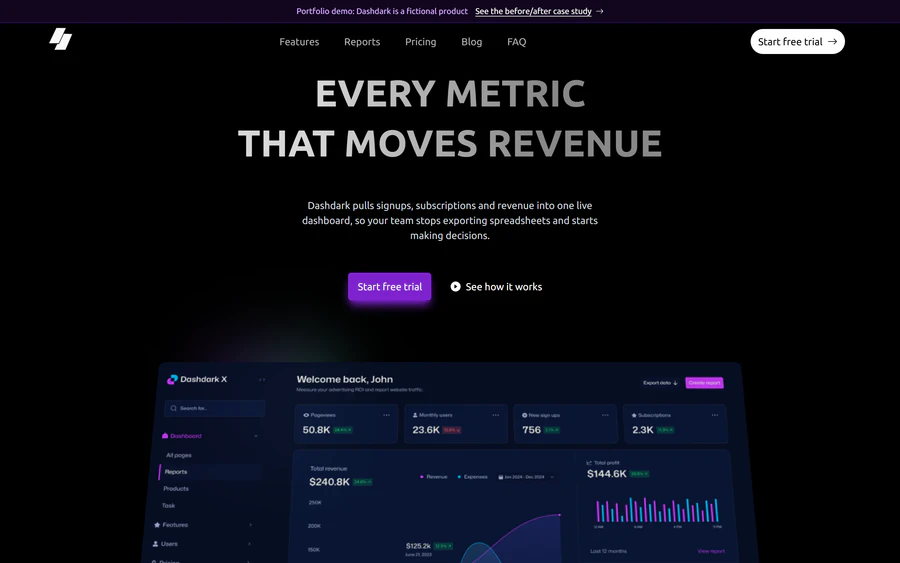
Optimized Dashdark page, first screen on desktop, 1440 px wide
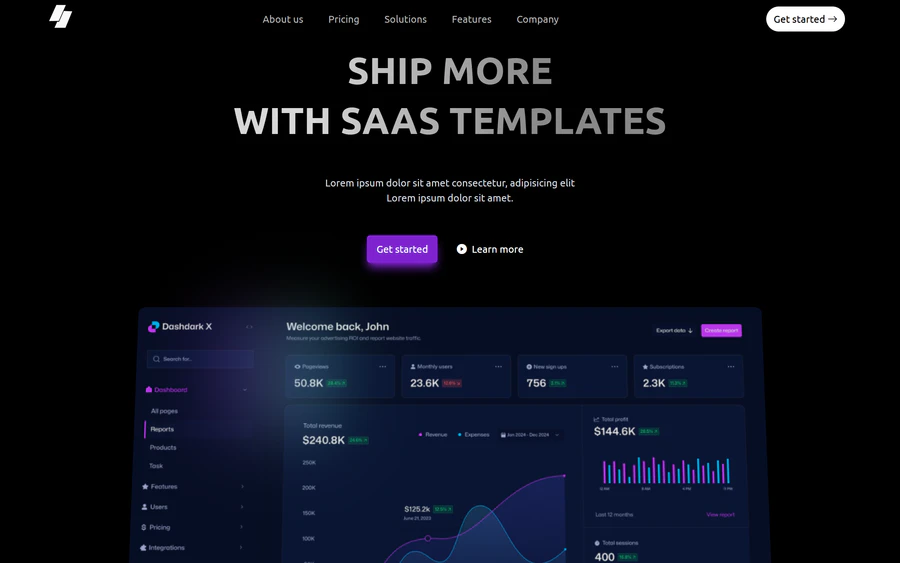
Original SaaSyDark template, first screen on desktop, 1440 px wide
Original Optimized
Original template · 1415 KB · LCP 6.7 s Optimized · 159 KB · LCP 1.7 s
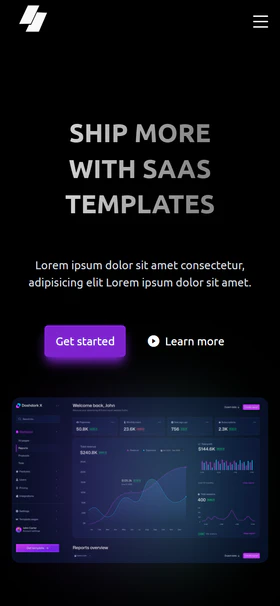
Original SaaSyDark template, first screen on mobile, 390 px wide
Original
mobile score 67
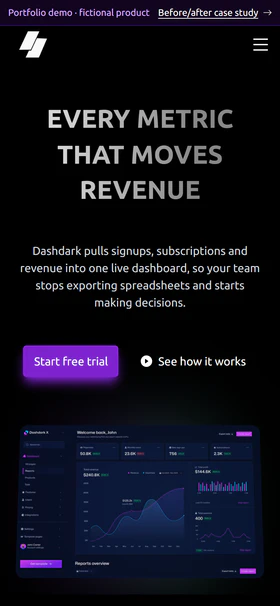
Optimized Dashdark page, first screen on mobile, 390 px wide
Optimized
mobile score 99
What changed

Nine problems, nine fixes

The first five show up in a Lighthouse report. The other four only show up on a slow connection, with a keyboard, or on a careful read, and visitors notice them first.

Before

Full-size screenshots sent to phones

Product images up to 2876 px wide, as PNG, with no width/height, all loaded up front.

After

Responsive AVIF and WebP

Each image comes in 2–4 sizes; the browser picks one. Below-the-fold images load lazily; the hero image is requested with high priority.

Images on first load: 1066 KB → 35 KB

Before

Four stylesheets blocking the first paint

Two local CSS files, a CDN icon font stylesheet, and a Google Fonts @import inside CSS, which chains one more request before any text can appear.

After

One inlined stylesheet

Tailwind rebuilt from the actual markup and inlined (21 KB). Nothing blocks rendering.

First Contentful Paint: 4.2 s → 1.6 s

Before

Two font families, nine styles, one family unused

Ubuntu in eight styles (four weights, each with italics), plus Dancing Script, which the page never uses. And a 128 KB icon font for 18 icons.

After

Three self-hosted weights, SVG icons

Only the weights in use, subset to Latin and preloaded. Icons inlined as SVG.

Fonts: 214 KB → 39 KB

Before

An animation library for fade-ins

GSAP and ScrollTrigger from a CDN (41 KB) to fade sections in and tilt the hero image.

After

A few lines of CSS and JavaScript

An IntersectionObserver for the fade-ins and a CSS scroll-driven animation for the hero tilt. No third-party code at all.

JavaScript: 45 KB → 3 KB, third-party requests 11 → 0

Before

Weak SEO basics

Empty meta description, no <h1>, links with no destination, empty social preview tags.

After

A page search engines can read

Description, one <h1> and a logical heading order, working anchor links, Open Graph image.

SEO score: 82 → 100

Before

The first screen jumps on a slow connection

The hero image reserves no space. When it arrives late, the heading and buttons jump; on a fast local test the image is instant, so nothing looks wrong.

After

Every image keeps its box

Images reserve their size from width/height before they load. Found on the live site, then reproduced by holding every image and font back 2.5 s.

Layout shift with slow assets: 0.099 → 0.004

Before

Content hidden until you scroll

56 of 61 text and image elements start invisible, even when the visitor has asked the OS to reduce motion.

After

Motion only when it is welcome

Fade-ins run only if the visitor has not asked for reduced motion, and only after the script has loaded. Without JavaScript, everything is visible.

Hidden with reduced motion: 56 → 0

Before

Parts you can't reach by keyboard

FAQ items built from <div>s, a closed mobile menu whose links still take focus, an email field with no label.

After

Keyboard and screen reader friendly

Real buttons with aria-expanded, a menu that is hidden when closed and closes on Escape, a labelled form, skip link, visible focus.

Lighthouse already said 100; these were found by hand

Before

Placeholder and borrowed credibility

Lorem ipsum, "Trusted by" logos of real companies, invented testimonials, a Dublin address labelled "United States".

After

Honest copy

Written copy for a clearly labelled fictional product. No real brands, no fake reviews; the testimonial grid became a "who it's for" grid.

A demo should not pretend to be a customer

How it was measured

Numbers you can reproduce

Same tool, same conditions

Lighthouse 12.8.2 in headless Chrome, default mobile and desktop presets. Both versions served by the same local static server, 3 runs each; this page shows the median. Measured 2026-09-25.

What was left out

Server-level audits (text compression, cache headers) depend on the host, not the page, and were identical for both versions, so they are excluded. Mobile scores move a few points between runs; the gap does not.

The original is untouched

The "before" page is the SaaSyDark template exactly as downloaded (commit 54e867c), only served from a different folder.

Checked in a real browser too

No console errors, no horizontal scrolling at 390 px or 1440 px, working menu, FAQ and form on both breakpoints.